
Data Quality Scans
Data Quality scans help to check data for certain metrics, like completeness, uniqueness, validity, NULLs, consistency, or any custom rule you might need, like the length of the string, etc.
Masthead can integrate your own data quality scans or use Dataplex, a native Google Cloud solution, to power and execute the data quality rules, which are, in essence, SQL queries. The following sections detail both options.
Data scans with Dataplex
Section titled “Data scans with Dataplex”What data does Masthead query with Dataplex?
Section titled “What data does Masthead query with Dataplex?”None. Masthead doesn’t request permissions, nor does it read or edit client data. You should grant read-only permissions to Dataplex, a Google Cloud native service. Masthead only helps you create and manage rules in Dataplex.
Is Dataplex available automatically?
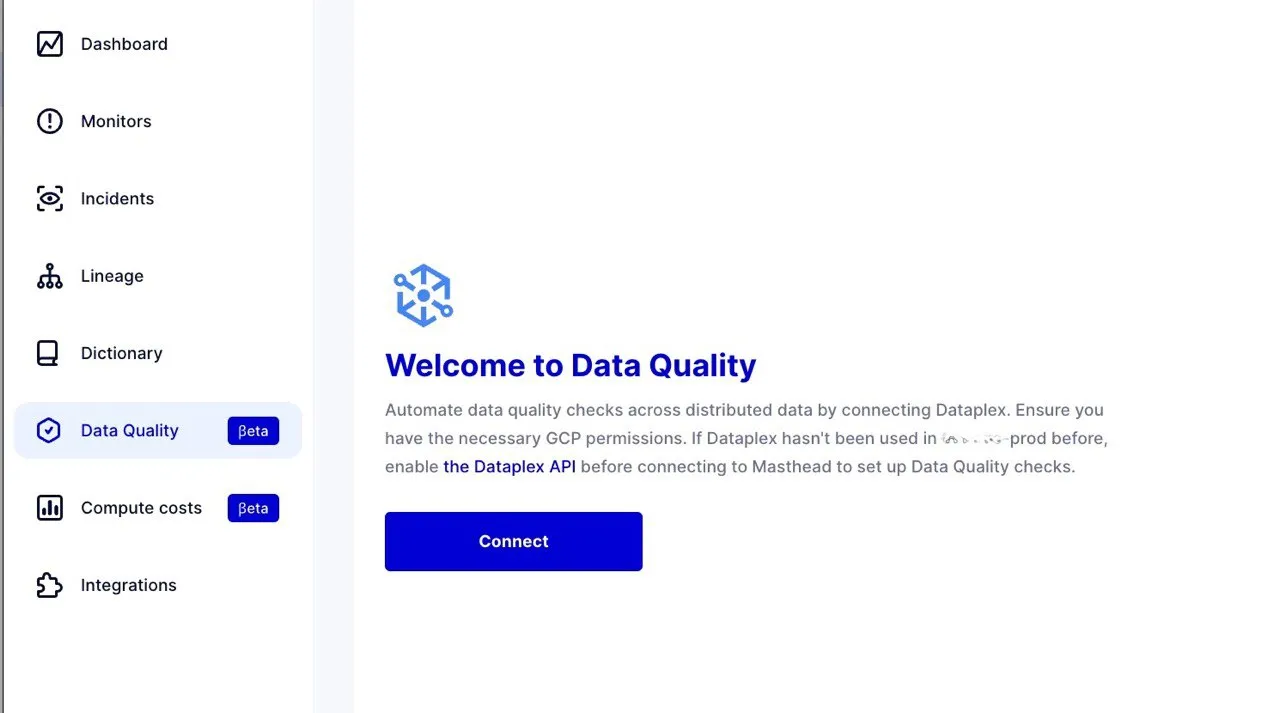
Section titled “Is Dataplex available automatically?”You can enable this feature with a single click. First, activate the Google Cloud Dataplex API in the connected Google Cloud project. The Masthead UI provides a link to the API under the Data Quality tab. Additionally, you must manually create rules for each table you want to monitor. Once you create and schedule the rules, they execute automatically.
Which metrics can you monitor using Dataplex?
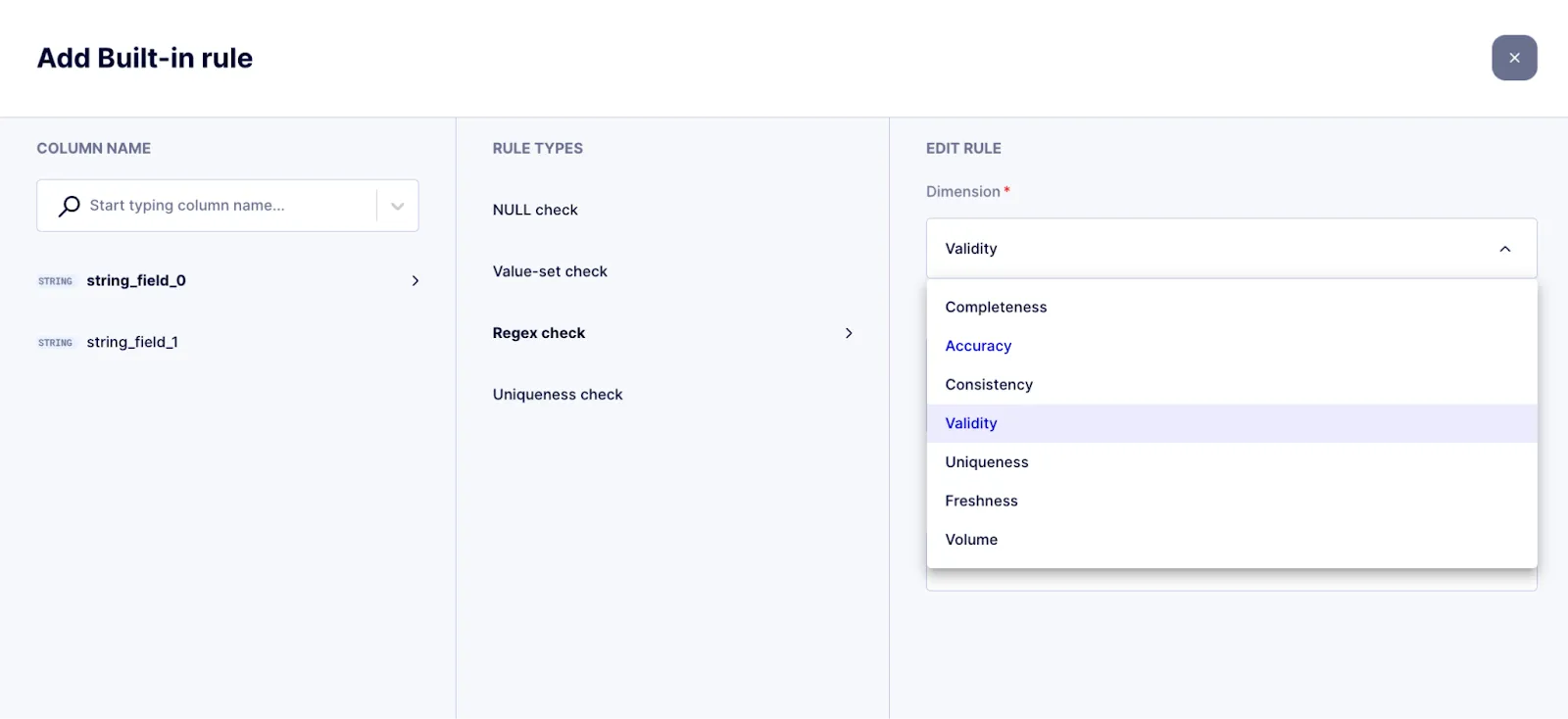
Section titled “Which metrics can you monitor using Dataplex?”This depends on each business and the metrics that are crucial for it. Data Quality rules schedule SQL queries to run. There are pre-set rules for aspects like completeness, accuracy, consistency, validity, uniqueness, and null checks.
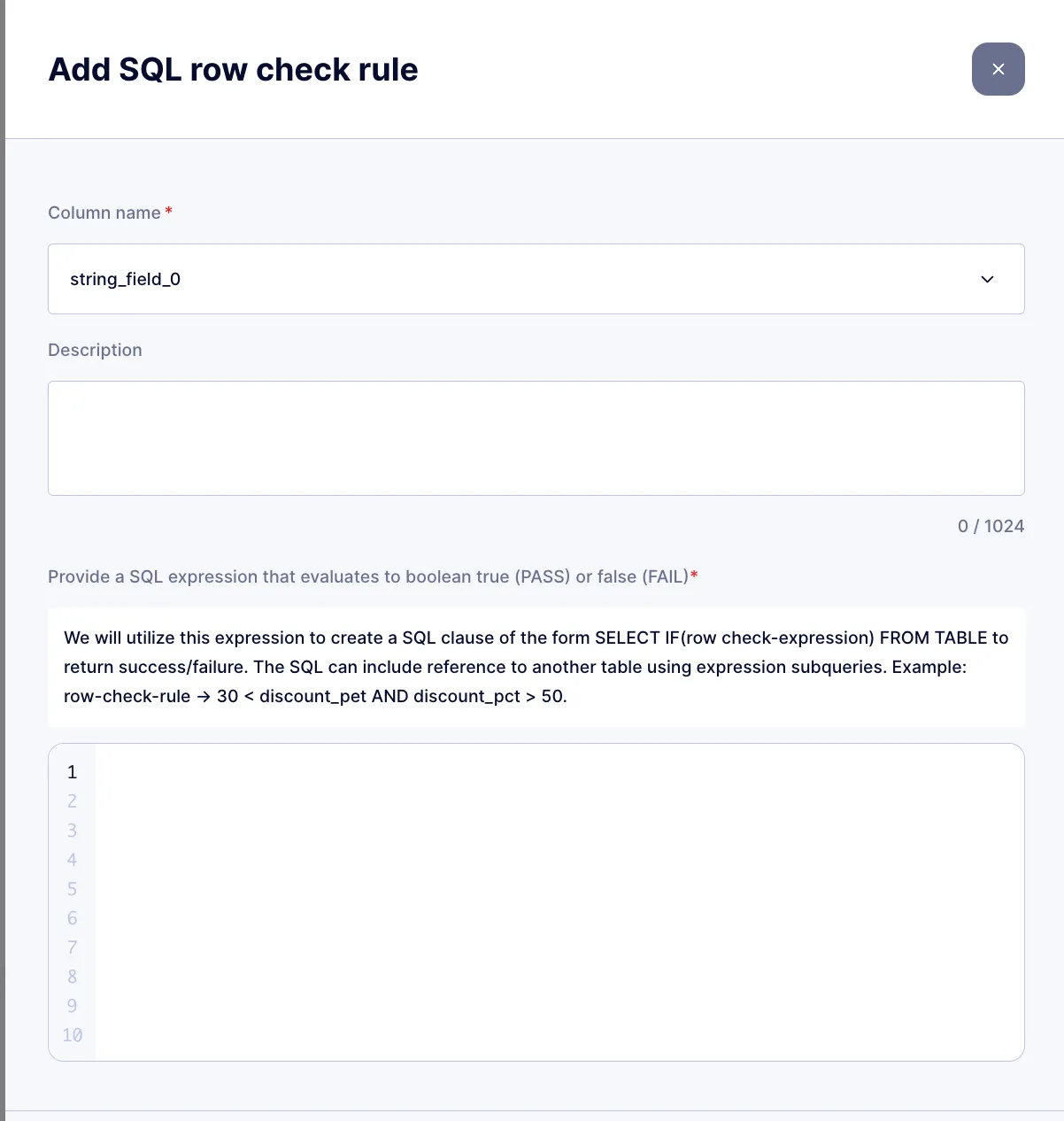
However, you can monitor any metric within any dimension using a custom SQL rule.
Why integrate Masthead with Dataplex?
Section titled “Why integrate Masthead with Dataplex?”Dataplex combined with Masthead Data Quality is a SQL-based solution, in contrast to Masthead Monitors, which rely on logs and metadata. Unlike Dataplex, Masthead Monitors provide automated anomaly detection across the entire data platform by identifying anomalies in time-series tables and errors in pipelines in real-time. Additionally, it doesn’t increase cloud costs because it doesn’t run SQL queries.
Dataplex is the optimal solution for Google Cloud users to implement data quality checks. The benefits include:
- It’s 100x cheaper. Pay only for SQL execution, which helps avoid the 100X additional costs associated with purchasing another SQL-first solution plus to compute costs for executed queries.
- The safest approach. Doesn’t expose data to a third-party vendor, which also eliminates the need to spend time with security and legal teams for onboarding a third-party tool.
- No additional vendor lock-in.
Custom data scans
Section titled “Custom data scans”Custom data scans bring your own data quality checks into Masthead without giving Masthead access to your data. Masthead can’t query your source tables, so you compute each metric in your own Google Cloud project and publish only the aggregated results: one number per table, metric, and period, in a BigQuery table that you share with Masthead. Masthead reads that table on a schedule, learns the patterns behind every metric, and raises a data quality incident when a value falls outside the forecasted range.
What runs where
Section titled “What runs where”| Step | Runs in |
|---|---|
| The metric query, as a BigQuery scheduled query or a dbt, Dataform, or Airflow job | Your project, as your user or a service account you choose |
The results table in a masthead_dq dataset |
Your project |
| Reading the results table and detecting anomalies | Masthead, as masthead-quality-checks@masthead-prod.iam.gserviceaccount.com |
Masthead gets read access to the dataset only. Your source datasets and raw rows stay private.
Set up a data scan
Section titled “Set up a data scan”Set up data scans with an AI agent, then review them on the Data Quality page.
Using an AI agent
Section titled “Using an AI agent”The data scans skill walks your agent through the whole setup with your own credentials. The agent suggests metrics for your CRITICAL and PRIORITY tables, tests the metric query, and shows you the setup plan. After you confirm each step, it creates the dataset, the results table, and the scheduled query that keeps the table current, grants Masthead access, and creates the scan through the Masthead MCP server.
To start, click Set up a data scan on the Data scans tab of the Data Quality page and copy the prompt, or give your agent this prompt:
Set up a Masthead data scan on my BigQuery data using the masthead-data-scans skill.Masthead has no read access to my data, so the metric must run in my Google Cloud project:suggest metrics for my CRITICAL and PRIORITY tables (or the table I name), materialize themin a table in a masthead_dq dataset with a scheduled query that keeps it current, grantMasthead read access to that dataset only, then dry-run and create the scan with theMasthead MCP server. Show the full setup plan first, then apply each step only after Iconfirm it.To monitor a specific table, name it and the metrics in the prompt, for example Monitor the daily row count and the share of customers without an email in my-project.crm.customers.
Table columns
Section titled “Table columns”| Column | Type | Description |
|---|---|---|
table_reference |
STRING |
The monitored table the metric describes, as project.dataset.table. Masthead attaches incidents to this table. |
rule_name |
STRING |
The metric name, for example null_email_percent. It becomes the incident’s metric name, so keep it stable. |
timestamp |
TIMESTAMP |
The start of the period the value describes, for example TIMESTAMP_TRUNC(updated_at, DAY). |
value |
INT64, FLOAT64, NUMERIC, or BIGNUMERIC |
The metric value. |
- Write one row per
table_reference,rule_name, and period. - Write a row for every metric in every period, including zero values. Masthead flags a period without a row as missing data.
- Don’t write NULL in any column. Masthead rejects a table whose rows contain NULLs.
- Keep at least 14 days of history. The first run analyzes the last 14 days.
- Express ratios as percentages (0–100) rather than fractions (0–1). Metrics with small values get wide expected ranges.
- Store aggregated metrics only, never raw rows.
Create the results table
Section titled “Create the results table”Keep results tables in a dedicated dataset, for example masthead_dq, in the same location as the source data. A scheduled query adds each closed period to the table before Masthead checks it. Instead of a scheduled query, you can run the same MERGE statement from dbt, Dataform, or Airflow.
The following example tracks the daily share of customers without an email address:
-
Create the dataset:
CREATE SCHEMA IF NOT EXISTS `my-project.masthead_dq`OPTIONS (location = 'US', description = 'Tables read by Masthead data scans'); -
Create the table with the last 30 days of history. Partitioning and clustering keep the queries Masthead runs on the table small:
CREATE TABLE `my-project.masthead_dq.customers_null_email`PARTITION BY TIMESTAMP_TRUNC(`timestamp`, DAY)CLUSTER BY table_reference, rule_nameASSELECT'my-project.crm.customers' AS table_reference,'null_email_percent' AS rule_name,TIMESTAMP_TRUNC(updated_at, DAY) AS `timestamp`,100 * COUNTIF(email IS NULL) / COUNT(*) AS valueFROM `my-project.crm.customers`WHERE updated_at >= TIMESTAMP(DATE_SUB(CURRENT_DATE(), INTERVAL 30 DAY))AND updated_at < TIMESTAMP(CURRENT_DATE())GROUP BY table_reference, rule_name, `timestamp` -
Write the refresh query. It recomputes the last 3 closed days, so data that arrives late and a missed run both recover on the next run:
MERGE `my-project.masthead_dq.customers_null_email` AS tUSING (SELECT'my-project.crm.customers' AS table_reference,'null_email_percent' AS rule_name,TIMESTAMP_TRUNC(updated_at, DAY) AS `timestamp`,100 * COUNTIF(email IS NULL) / COUNT(*) AS valueFROM `my-project.crm.customers`WHERE updated_at >= TIMESTAMP(DATE_SUB(CURRENT_DATE(), INTERVAL 3 DAY))AND updated_at < TIMESTAMP(CURRENT_DATE())GROUP BY table_reference, rule_name, `timestamp`) AS sON t.table_reference = s.table_reference AND t.rule_name = s.rule_name AND t.`timestamp` = s.`timestamp`WHEN MATCHED THEN UPDATE SET value = s.valueWHEN NOT MATCHED THEN INSERT ROW -
Schedule the refresh query to run once a day at 01:00 UTC. In the Google Cloud console, open the query in BigQuery Studio and click Schedule, or run the following command with the BigQuery Data Transfer Service:
Terminal window bq mk --transfer_config \--project_id=my-project \--location=US \--data_source=scheduled_query \--display_name='masthead_dq customers_null_email refresh' \--schedule='every day 01:00' \--params='{"query":"<the MERGE statement from step 3>"}'- Masthead checks a period after its processing delay ends, so the refresh must finish before then. If a source table updates later in the day, schedule the refresh after that update and still inside the delay.
- A scheduled query runs as the user who creates it. To keep the refresh running when that user’s access changes, add
--service_account_namewith a service account that has BigQuery Data Viewer on the source data, BigQuery Data Editor onmasthead_dq, and BigQuery Job User on the project.
Grant access
Section titled “Grant access”Grant the Masthead service account read access to the dataset that holds your results tables:
GRANT `roles/bigquery.dataViewer` ON SCHEMA `my-project.masthead_dq`TO "serviceAccount:masthead-quality-checks@masthead-prod.iam.gserviceaccount.com";Masthead reads only this dataset, so your source datasets need no grant.
How scans run
Section titled “How scans run”- Frequency: hourly, every 6 hours, every 12 hours, or daily.
- Processing delay: after a period ends, Masthead waits before checking it, so late data can arrive. The default is half the period, up to 12 hours.
- Trend and seasonality: each metric gets its own model. Masthead detects the seasonal cycle, such as a weekly pattern in daily data, once the metric has two full cycles of history.
- Late and corrected data: every run rechecks the last 3 periods, so rows that arrive late or get corrected update the result.
- Adapts over time: every run retrains the model on recent history (60 days for daily scans), so the expected range follows a metric as it grows or shifts.
- First run: starts as soon as you create the scan, analyzes the last 14 days, and doesn’t send notifications. Later anomalies raise data quality incidents that follow your alert settings.
- Cost: Masthead pays for the queries that read the scan table. The queries that refresh it run in your project.
Review results
Section titled “Review results”The Data scans tab of the Data Quality page lists every data scan with its latest result. Each scan’s page shows the results per period, metric values against their expected ranges, the scan configuration, and the monitored tables.
See results in the context of your data assets.
-
Is data sampling supported?
Yes, to make data quality checks more cost-efficient. You can filter it like any SQL query, based on data dimensions.
Data Quality with Dataplex has an easy-to-use UI-based setting that allows you to limit the scope and sample the data queried.
-
How much does it cost to run data quality checks?
Masthead itself doesn’t charge for running data quality checks. Put simply, customers pay only for the execution of rules.
The cost of each data quality check is equivalent to the data processed in BigQuery at the chosen data location and the selected pricing plan for the particular Google Cloud project.
Dataplex charges based on pay-as-you-go usage. The cost to run data quality checks aligns with the Dataplex premium processing pricing.
-
After creating a rule in Masthead Data Quality with Dataplex, does it appear in Dataplex in Google Cloud?
Yes, once you create a rule in Masthead, it appears in the Dataplex UI, and vice versa. You can modify or delete rules created in Masthead within Dataplex at any time.