
Data Quality Scans
Data Quality scans help to check data for certain metrics, like completeness, uniqueness, validity, NULLs, consistency, or any custom rule you might need, like the length of the string, etc.
Masthead can integrate your own data quality scans or use Dataplex, a native Google Cloud solution, to power and execute the data quality rules, which are, in essence, SQL queries. The following sections detail both options.
Data scans with Dataplex
Section titled “Data scans with Dataplex”What data does Masthead query with Dataplex?
Section titled “What data does Masthead query with Dataplex?”None. Masthead doesn’t request permissions, nor does it read or edit client data. You should grant read-only permissions to Dataplex, a Google Cloud native service. Masthead only helps you create and manage rules in Dataplex.
Is Dataplex available automatically?
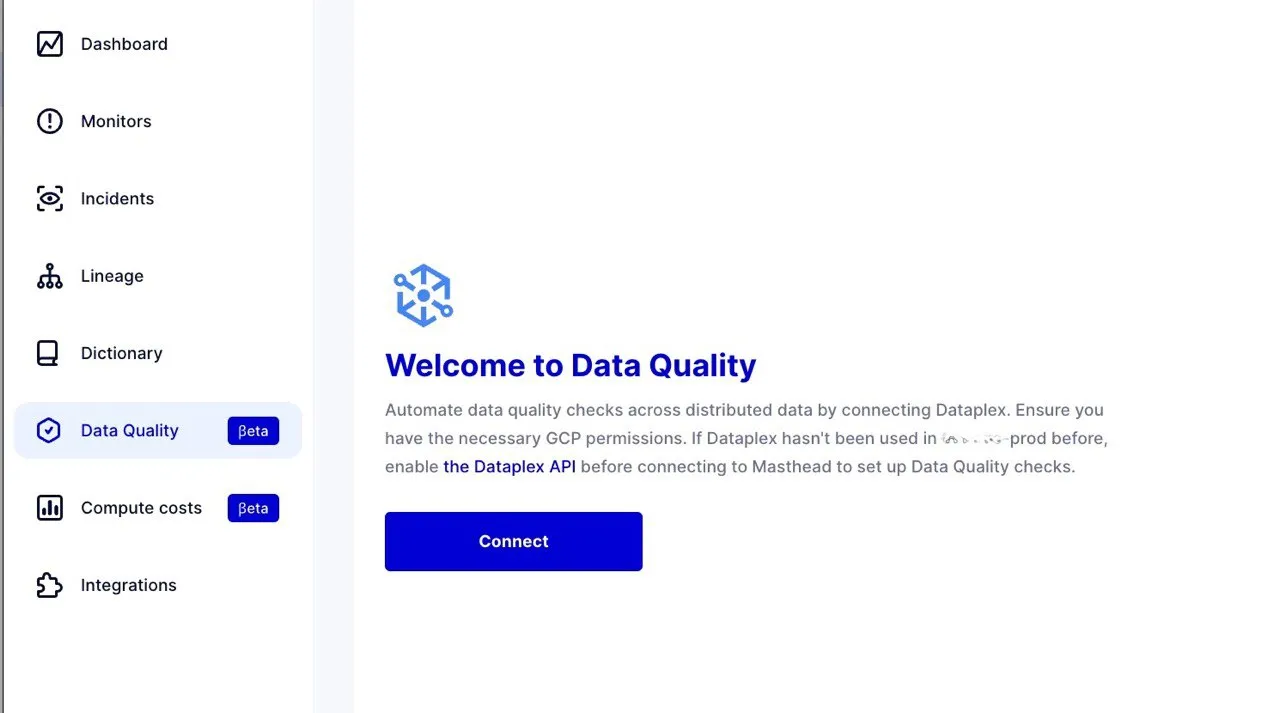
Section titled “Is Dataplex available automatically?”You can enable this feature with a single click. First, activate the Google Cloud Dataplex API in the connected Google Cloud project. The Masthead UI provides a link to the API under the Data Quality tab. Additionally, you must manually create rules for each table you want to monitor. Once you create and schedule the rules, they execute automatically.
Which metrics can you monitor using Dataplex?
Section titled “Which metrics can you monitor using Dataplex?”This depends on each business and the metrics that are crucial for it. Data Quality rules schedule SQL queries to run. There are pre-set rules for aspects like completeness, accuracy, consistency, validity, uniqueness, and null checks.
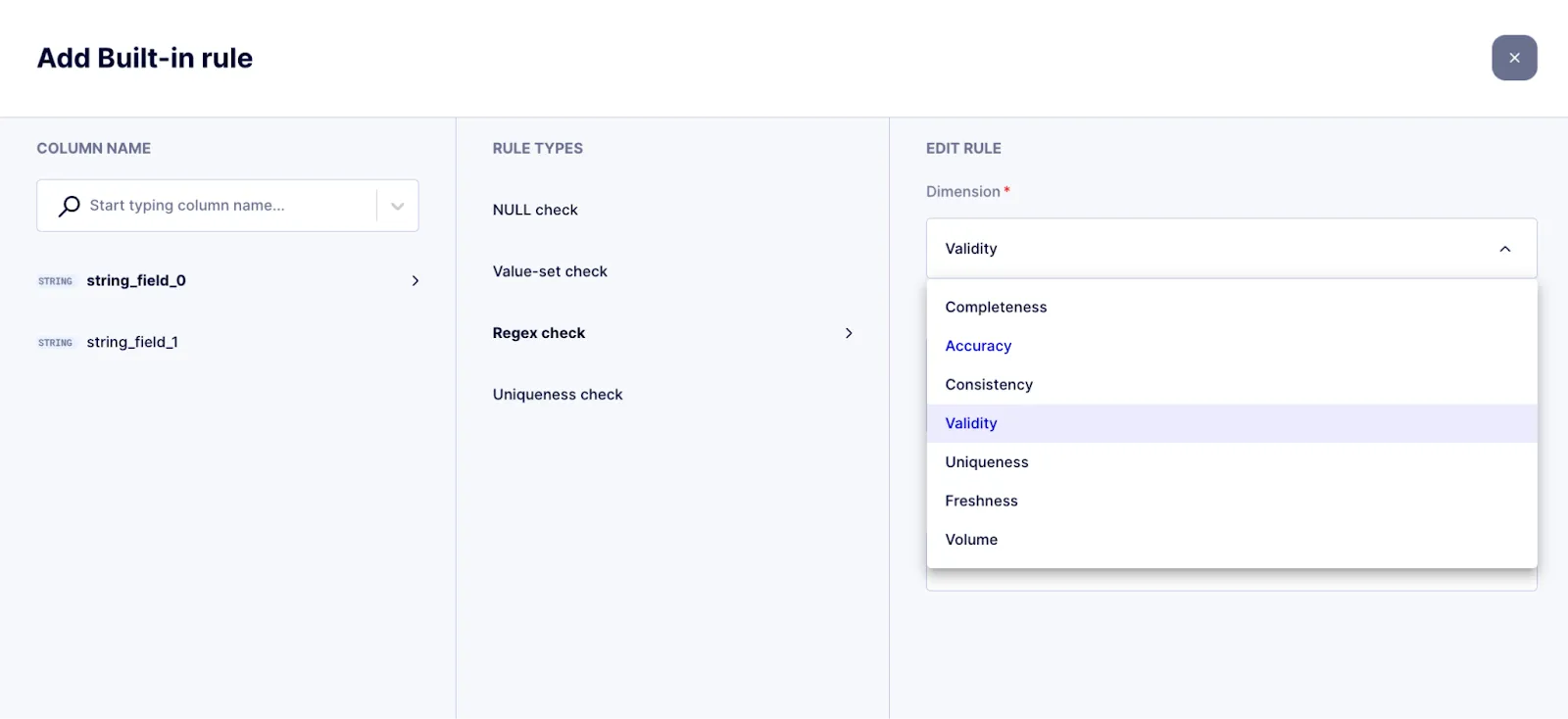
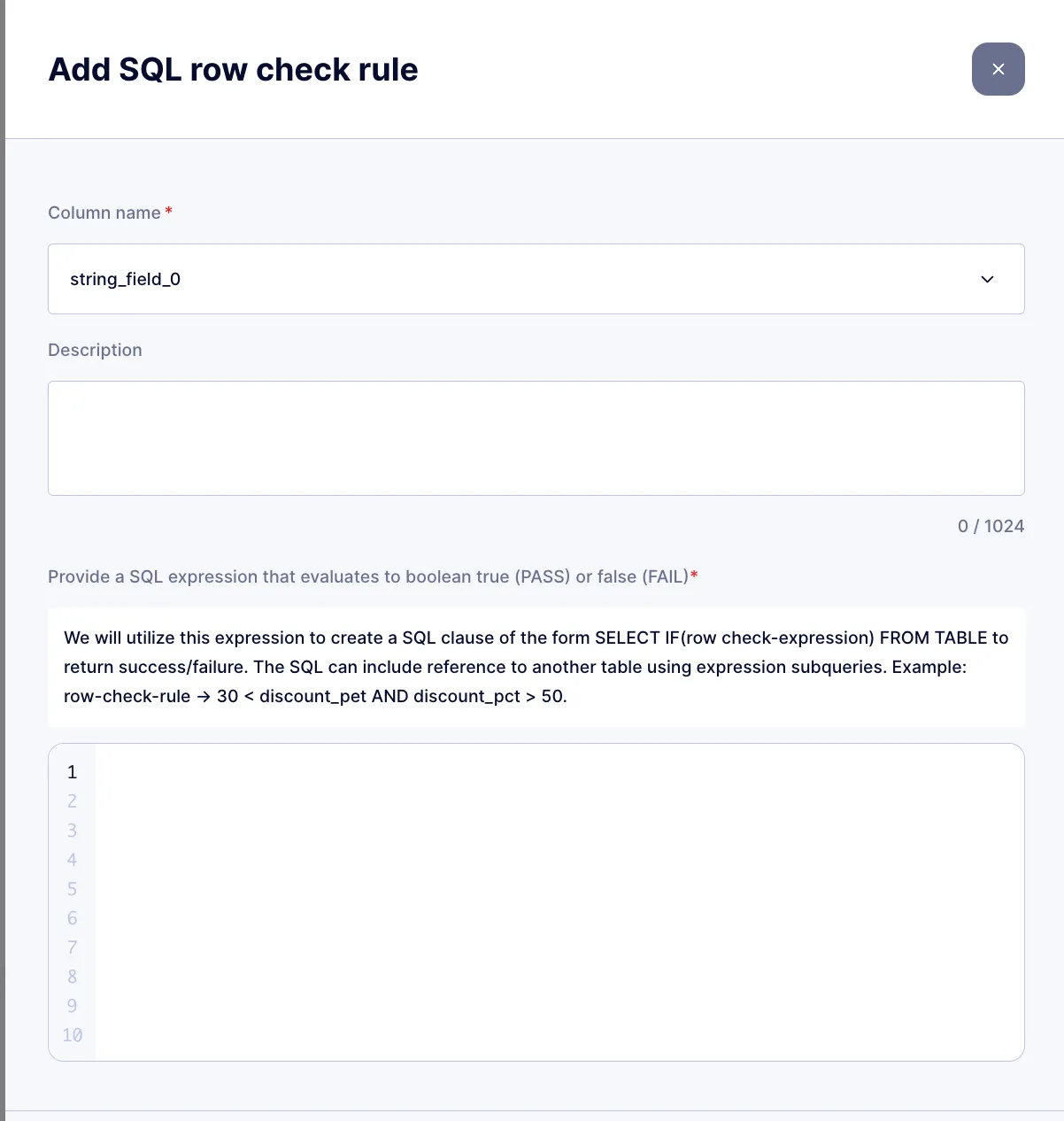
However, you can monitor any metric within any dimension using a custom SQL rule.
Why integrate Masthead with Dataplex?
Section titled “Why integrate Masthead with Dataplex?”Dataplex combined with Masthead Data Quality is a SQL-based solution, in contrast to Masthead Monitors, which rely on logs and metadata. Unlike Dataplex, Masthead Monitors provide automated anomaly detection across the entire data platform by identifying anomalies in time-series tables and errors in pipelines in real-time. Additionally, it doesn’t increase cloud costs because it doesn’t run SQL queries.
Dataplex is the optimal solution for Google Cloud users to implement data quality checks. The benefits include:
- It’s 100x cheaper. Pay only for SQL execution, which helps avoid the 100X additional costs associated with purchasing another SQL-first solution plus to compute costs for executed queries.
- The safest approach. Doesn’t expose data to a third-party vendor, which also eliminates the need to spend time with security and legal teams for onboarding a third-party tool.
- No additional vendor lock-in.
Custom data scans
Section titled “Custom data scans”Follow the integration steps Masthead to expand the Data Quality of the data assets with the results of any additional quality checks.
- Implement Data Quality Rules: orchestrate the quality check rules and save the results into the table.
- Share the scan results table with Masthead.
- See results in the context of your data assets.
When deploying custom data quality scans, you must store the results in a single table for all checked tables. This structure facilitates organized tracking and analysis of quality metrics.
- Table Naming: You can choose an arbitrary name for the quality check table.
- Required Label: It’s crucial to apply the following label so that Masthead can recognize the table for data scans:
labels: { masthead: data_quality_table, ...}- Location: when you have data stored in multiple cloud regions, create a table for each region. Masthead reads the tables across all your regions.
- Schema: Masthead requires the following columns in the results table:
| Value | Type | Description |
|---|---|---|
table_reference |
STRING, REQUIRED |
The full identifier of the checked table.project_name.dataset_name.table_name |
scan_name |
STRING, OPTIONAL |
Name of the scan run. Not required if there is only one scan per table. |
rule_name |
STRING, REQUIRED |
Name of the quality rule |
value |
FLOAT64, REQUIRED |
Count of events, for example |
timestamp |
TIMESTAMP, REQUIRED |
Check execution time |
- Retrospective data: Include at least 14 days of historical data to begin analyzing quality incidents immediately. Without this data, Masthead might delay the analysis by up to 14 days.
Example scan query:
SELECT *, CURRENT_TIMESTAMP() AS timestampFROM ( SELECT 'bigquery-public-data.ga4_obfuscated_sample_ecommerce.events_*' AS table_reference, 'main_daily_check' AS scan_name, COUNT(DISTINCT user_pseudo_id) AS unique_users, CAST(MAX(ecommerce.purchase_revenue) AS INT64) AS max_purchase_revenue FROM `bigquery-public-data.ga4_obfuscated_sample_ecommerce.events_*` WHERE _TABLE_SUFFIX = '20201108')UNPIVOT(value FOR rule_name IN (unique_users, max_purchase_revenue))Access permissions required
Section titled “Access permissions required”-
Service account used for this integration:
masthead-quality-checks@masthead-prod.iam.gserviceaccount.com -
The following access permissions to read data from the table:
BigQuery Data Viewer. For details, see the guide on how to grant access to a table. -
When using a view authorize its access to the underlying datasets.
You can run data quality checks on any schedule. Masthead determines the optimal frequency to sync and analyze the data scan results.
-
Is data sampling supported?
Yes, to make data quality checks more cost-efficient. You can filter it like any SQL query, based on data dimensions.
Data Quality with Dataplex has an easy-to-use UI-based setting that allows you to limit the scope and sample the data queried.
-
How much does it cost to run data quality checks?
Masthead itself doesn’t charge for running data quality checks. Put simply, customers pay only for the execution of rules.
The cost of each data quality check is equivalent to the data processed in BigQuery at the chosen data location and the selected pricing plan for the particular Google Cloud project.
Dataplex charges based on pay-as-you-go usage. The cost to run data quality checks aligns with the Dataplex premium processing pricing.
-
After creating a rule in Masthead Data Quality with Dataplex, does it appear in Dataplex in Google Cloud?
Yes, once you create a rule in Masthead, it appears in the Dataplex UI, and vice versa. You can modify or delete rules created in Masthead within Dataplex at any time.